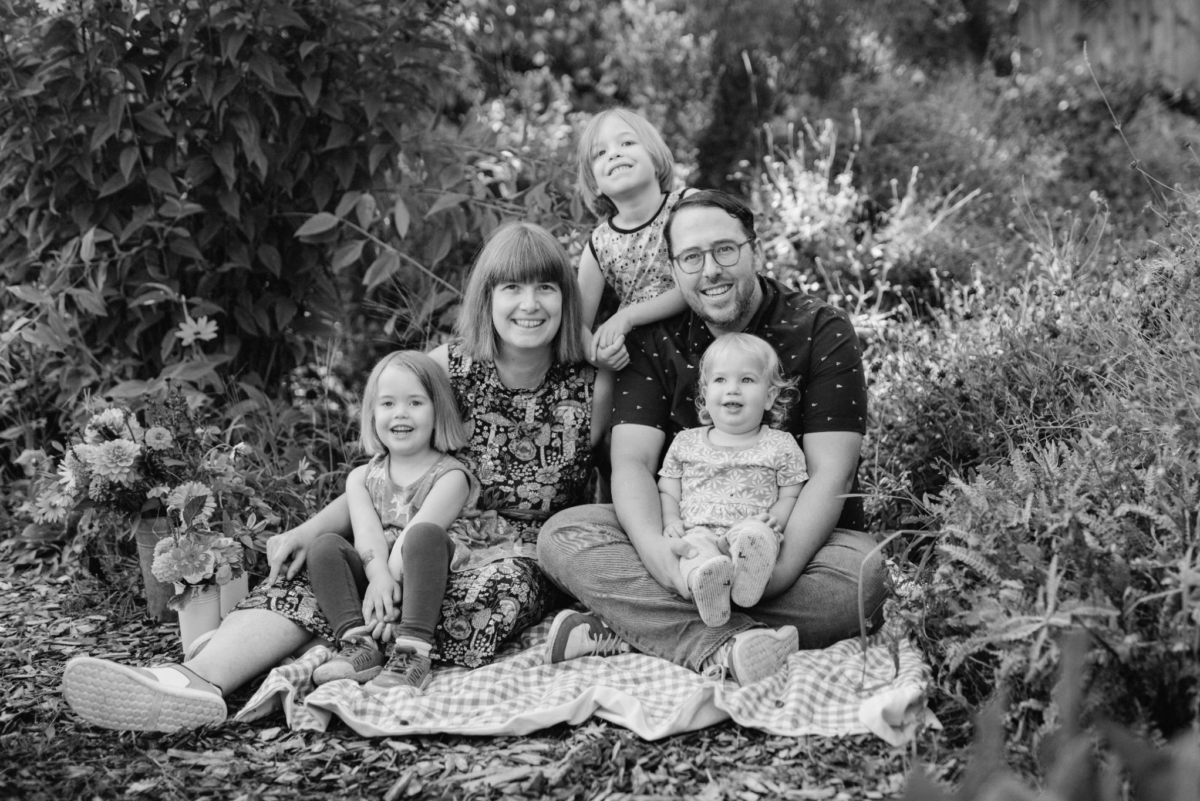
A Q&A with Ophelia Schechter, team leader for Sunnyside’s Neighborhood Emergency Team, and SNA Board Member.
Ophelia Schechter and her husband, David, moved to Sunnyside in January of 2022. They’d been renting in the Mt. Scott-Arleta neighborhood prior to that, but moved to Portland from San Jose, California in June 2018.
With three kids, the eldest of whom is a first-grader at SES, Schechter is a stay-at-home mom who is also involved in the school. Lately, that’s meant “daylighting” the curbs around the school to encourage safer driving. Then, wanting to get even more involved in her community, Ophelia attended an SNA meeting a few months ago and heard we needed Neighborhood Emergency Team (NET) volunteers. She promptly went to a city training and is now certified. After our May elections, not only is she the team leader for Sunnyside’s newly revived NET team, she’s the most recent addition to the SNA Board. We sat down with her on a recent Friday to find out what she loves about Sunnyside and what drives her involvement in the community.
You have a big family. Tell me about them!
There’s Elie (short for Elijah), who is seven and goes to Sunnyside [Environmental School]. Izzy is four, and Ariya is two. Elie will be in 2nd grade. This year, his teacher is Wayne.
How do you like SES?
Sunnyside is great. I love how supportive the teachers are and how involved the community is. Everyone in my family absolutely adores the Harvest Fair. In early elementary grades I really don’t think there’s a huge difference from other schools—other than the gardening class. But from my understanding, our school spends less time on the computer than other schools do, which is an advantage for my family because my kids are low screen users. The principal and vice principal at SES are advocating for less screen time in the class room. Additionally I am looking forward to when my kiddos are in upper elementary and middle school when they will have frequent field trips.
So tell me how you got involved in NET training?
I came to one of the Neighborhood Association meetings. I had heard something in passing about NET teams, and I didn’t understand what that was. Then I went to the meeting, found out that we don’t have a NET team and that there is a program through the Portland Bureau of Emergency Management where they train everyday citizens to volunteer in emergency situations and also ultimately train us to be ready to self deploy during the “Big One.”
What was your inspiration for wanting to be trained in that?
I grew up in California. Understanding that a major earthquake could happen at any time was our default assumption. Then I moved here and I knew nothing about the Cascadia Subduction Zone. Since most Portlanders aren’t from here, they also don’t know that we live in the Cascadia Subduction Zone. So I felt unprepared and I suspected most of the people around me were unprepared as well…So while I prepare my household and myself, I’ve had a lot of thoughts: Sure if I were to have enough water for that time that’s great. But I imagine that most of the neighbors around me are not going to be ready. And I’m not going to sit around watching my neighbors suffer! So…
How long was the training?
First off, you have to watch two hours worth of videos in order to qualify for the training. Then the training itself is four weekend days from 9–3. Three hours are sitting and learning about how NET teams operate. A little bit of radio, medical, and some search and rescue. Those trainings give you a few skills that could help in the field. What if you come across somebody who is not breathing? What if you come across somebody who is bleeding out? What are you supposed to do? In the final training you do “cribbing”—how to save someone who is trapped. There is a dummy under a huge concrete block and we have to lift it so you can take the dummy out from underneath the block. (You and six other teammates are doing this together.) We did a stop the bleed training where you learn how to make a tourniquet, also wound packing. They teach you how to use a fire extinguisher.
After you’re done with this, if you’re interested in further training you can take additional classes like medical or radio. If you’re interested in sanitation—because when the earthquake happens we’re not going to have access to plumbing—we need to have sanitation. Then there’s food, and there are so many other things for you to be trained in so you are better prepared as a community. From my understanding the Mt Tabor/Montavilla team has a specialized medical team. And Laurelhurst is well-resourced and well-trained. So my plan is to work with those groups.
My plans as Sunnyside NET team leader is to get our NET team going again and assess our strengths and weaknesses. Stage 2 is trying to pull more people into the team—especially folks already possessing the skills we lack. Stage 3 is to work with team leaders in adjacent neighborhoods. Especially during the Big One, we should be aware of their plans and all work together.
In the future, I would love to have a fundraiser to distribute supplies throughout our community. My first priority would be to acquire lots of water jugs. Water is the most important supply and a huge challenge in disaster prep. They say you need to have one gallon per person per day and they want you to have water supply for 14 days. So it’s a lot of water! I’m fortunate—I have a garage. It’s so daunting—especially for people who live in apartments—to store all that water.
Why were you interested in getting involved in the SNA?
I would say a third of it because I’m already going to be the Team Lead for NET. I think it’d be a lot easier to communicate with the Board if I’m on the Board. A second part is after having children I realized that when I grow up, I want to be a matriarch. Part of that is advocating for other people—and focusing on children, the elderly, and the vulnerable.
Being on the Board also gives me more exposure to the rest of the people in my community. I really see Portland through the lens of a parent. I go to parks, show up to community centers. I go to all these events. I know that’s only one part of Portland, so I want to find ways that I can both see and advocate for other things.
Even in emergency management a lot of the literature out there assumes that you are an adult and that you are able-bodied. That’s not the case for most people. That’s part of the advocacy work, especially at the local level—reminding folks that not everyone is going to be capable of the things we’re asking them to do. If we don’t consider them now, they will be left behind in an emergency.
Do you have a cat or a dog?
Both. Harley is the cat and Woz, the dog. He is named after Steve Wozniak. (Did I mention that my husband David is an IOS developer?)
What do you love about Sunnyside?
The #1 reason why we chose Sunnyside is because of how walkable it is and how family friendly it is. I think it is a unique neighborhood because we are so central and yet it is quiet. I’m two blocks away from bars and 99% of the time we hear nothing. We also love the library and we are eagerly awaiting its reopening!
Is there anything you’d like to see change or improve?
The thing that I would want to see improve about Sunnyside is making it feel even more like a community. Having deeper ties between homeowners and renters is important. Also, a sense of pride about the area that we live in.